Download DASH (mpd) video with audio as one MP4 file
Kepsy downloads a DASH video, which often keeps picture and sound in two different places, and joins them into one MP4 file with sound, inside your browser.
What are DASH and an mpd file?
DASH is another way websites play video. The idea is the same as HLS: the video is cut into many small pieces and the player fetches them one by one. An mpd file is the description. It tells the player which picture versions and audio tracks exist, and where each piece lives.
One important difference is that DASH usually keeps the picture stream and the audio stream apart. The player fetches both and plays them together.
Why a saved video is often silent or will not open
If you fetch only one stream, you get picture without sound, or the other way round. If you save the mpd link, you get the description file, not a video.
A complete video needs every piece of the picture stream, every piece of the audio stream, and a step that joins them into one file. Kepsy does these steps and gives you a single MP4 file.
How to download with Kepsy
- Open the page with the video and play it for a few seconds so the page starts to load the DASH stream.
- Click the Kepsy icon and find the DASH stream in the list of media. If you do not see it, press “Refresh”.
- Open the “Quality” box and choose a resolution. Keep “Include audio” on if you want sound in the file.
- If the video has several audio tracks, choose one in the “Audio track” box.
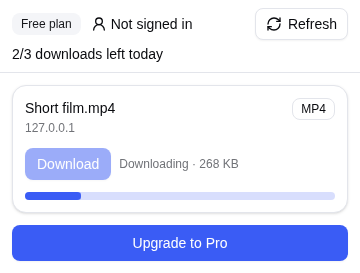
- Click “Download”. The popup shows “Downloading”, “Muxing”, then “Saved” when the MP4 file is in your Downloads folder.
Limits you should know
- Content with DRM is not supported. Kepsy recognises it and disables the download button. It does not remove DRM.
- Kepsy reads mpd files that describe their pieces with a URL template or a list of pieces. An mpd that describes the whole video as one file with an index is not supported yet, and the popup says “Unsupported format”.
- A few large platforms are blocked because their terms forbid downloads. Kepsy detects and downloads nothing there.
- A video too large for the browser is refused before the download starts, with a reason.
- The free plan gives 3 downloads a day and needs no account.
FAQ
Can I download an mpd video with audio?
Yes, Kepsy downloads an mpd video with audio. Kepsy fetches the picture stream and the audio stream separately and joins them into one MP4 file with sound. Keep the “Include audio” box on.
Do I need to know the mpd link?
No, you do not need to know the mpd link. Kepsy lists the DASH stream of the open tab for you. Play the video and open the popup.
Why does the popup say the format is not supported?
The Kepsy popup says the format is not supported usually because the mpd file uses a way of describing pieces that Kepsy cannot read yet. Try another quality or another video, and contact support if you need help.