Save video right on the page you are viewing
An extension that saves video from the page you have open, in one click.
- 3 free downloads a day
- No account needed
- No ads
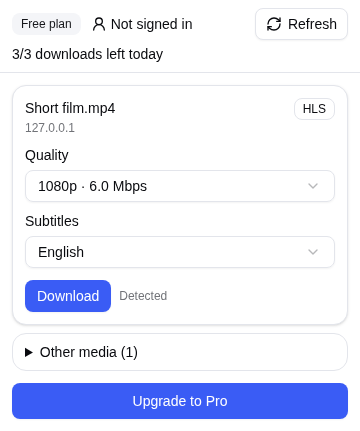
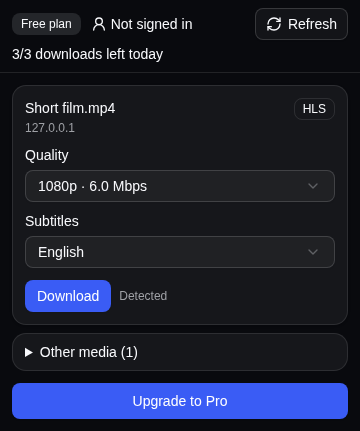
One click to download
When a page has video, click the extension icon to see the list, then pick a quality and subtitles.
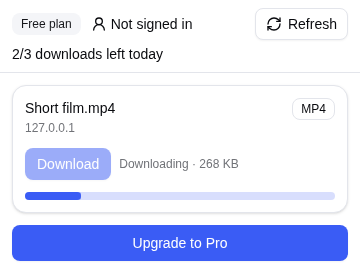
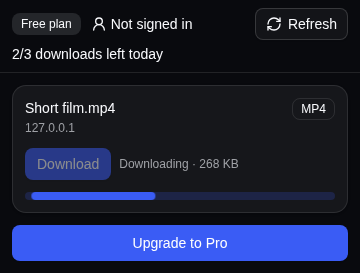
Free or Pro
The Free plan is enough for now and then. Pro removes the download limit and lets you save several videos at once.
Two ways to pay
- Card or PayPal. Pay in USD ($2.99 or $24.99) on the Lemon Squeezy payment page.
- VietQR bank transfer. Pay in VND (39.000₫ or 349.000₫). The QR code shows right in the popup, and Pro turns on when the money arrives.
- You pay once and it does not renew by itself. When it ends, you go back to the Free plan and are not charged again.
- Pro belongs to your account, so it works in every browser where you are signed in.
- Buy it in the popup: click “Upgrade to Pro”, then pick a length and a way to pay. A renewal adds days to the time you have left.
Available in your browser
Frequently asked questions
Can the extension download DRM-protected video?
No. Protected content shows the label “Protected content, not supported” and the download button is disabled. The extension does not bypass DRM and never will.
Why does a page open but the extension detects nothing?
Some large video platforms are hard-blocked by the project's host blocklist. There the extension detects and downloads nothing, in any browser. This is deliberate, so the extension stays within store policy.
How much is free?
3 downloads a day, no account needed. The remaining count is shown at the top of the popup, and the allowance resets every day.
What about long or very large videos?
A video beyond what the browser can handle is clearly reported as too large before the download starts, instead of starting and then stalling.
Do HLS/DASH streams include audio?
Yes. The separate video and audio tracks in a stream are joined into one MP4 file with sound.
Can I download subtitles?
Yes, when an HLS/DASH stream serves WebVTT subtitles separately. Pick a language in the Subtitles box in the popup, then download. The subtitles are added to the MP4 as a track that you turn on in your player (VLC, mpv). Each download includes one language and uses no extra download. Subtitles burned into the picture are already part of the video.
Is paying safe? Does Kepsy keep my card number?
No. Your card number goes only to Lemon Squeezy, the seller for card and PayPal payments, and never through our server. For a VietQR bank transfer, we see only the amount, the transfer note and the sender name that your bank provides. If you paid and Pro is not on yet, see the support page.
Does the extension send my data anywhere?
Without signing in, the extension sends nothing to a server: everything runs on your machine. When you sign in, Clerk (our sign-in provider) handles your email, the 6-digit code or Google, stores the data in the United States and keeps the session for 7 days; our server receives only the session token. When you buy Pro, we also keep the order (pass, amount, payment method, order number). Details in the privacy policy.